Every snag pinned, fixed and signed off.

Q Snag runs the purchaser's snag list for new homes, from the QR code on the door to the de-snag record.

Made for handover, not punch lists.

Most snagging apps are built for contractors or certifiers and priced per user. Q Snag is built around the purchaser's list for each home.

For the purchaser's snagger

  • Signs in from the door QR code or a one-time link. No account, no password.
  • Sees only the homes they were asked to snag.
  • Gets a de-snag record with before and after photos of every fix.

For your site team

  • Units come straight from your accommodation schedule.
  • Six statuses, from under construction to closed, so nothing gets lost.
  • Snag lists arrive the moment they're submitted, ready to resolve.

How it works

One record for every home.

  1. Import, assign, call to snag

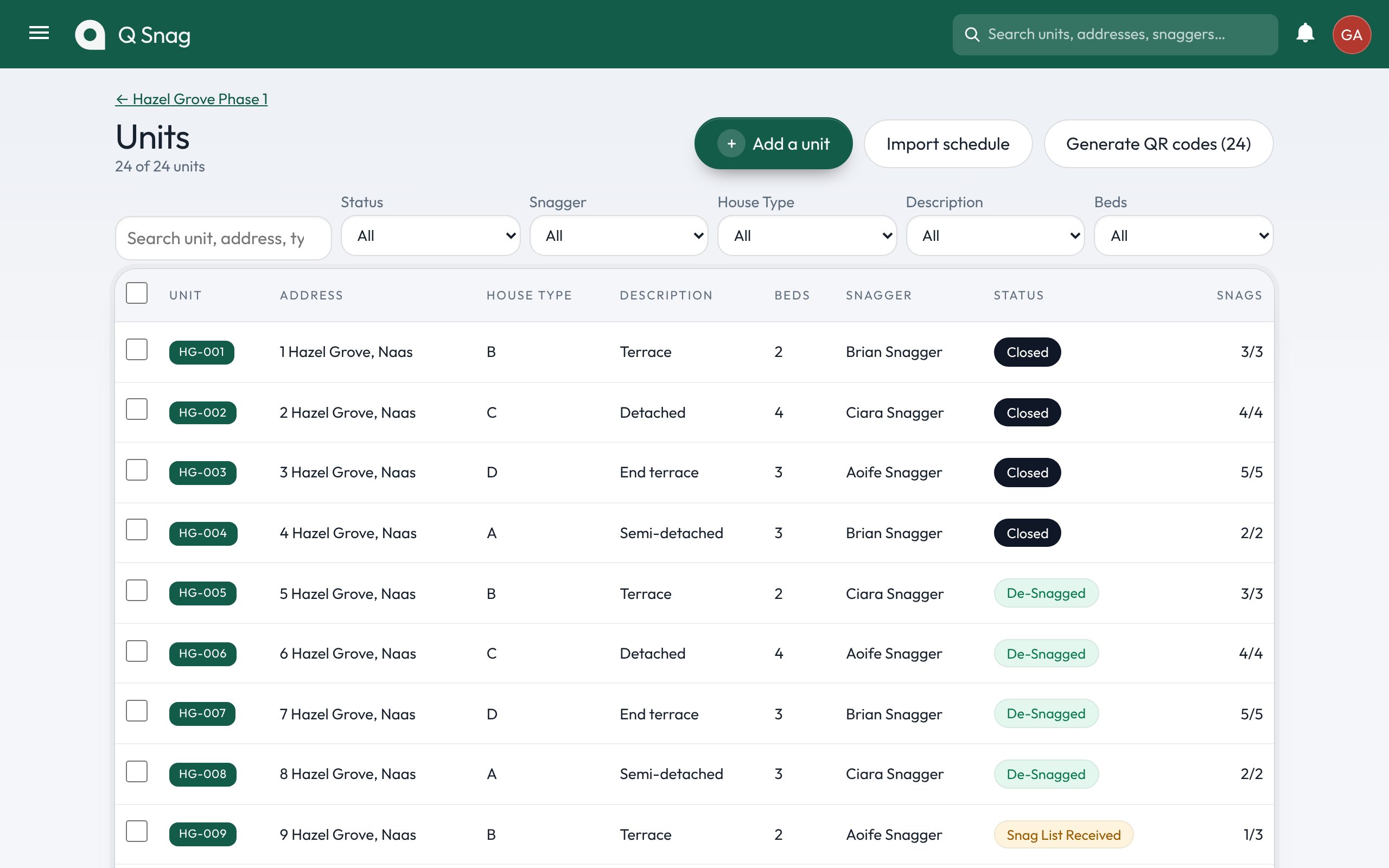
    Bring in your units from the accommodation schedule, give each one a snagger, and call it to snag when it's ready. The snagger gets a one-time link by email or text.

    The Units page with import, QR code and filter controls and a list of Hazel Grove units by status
  2. Scan the door

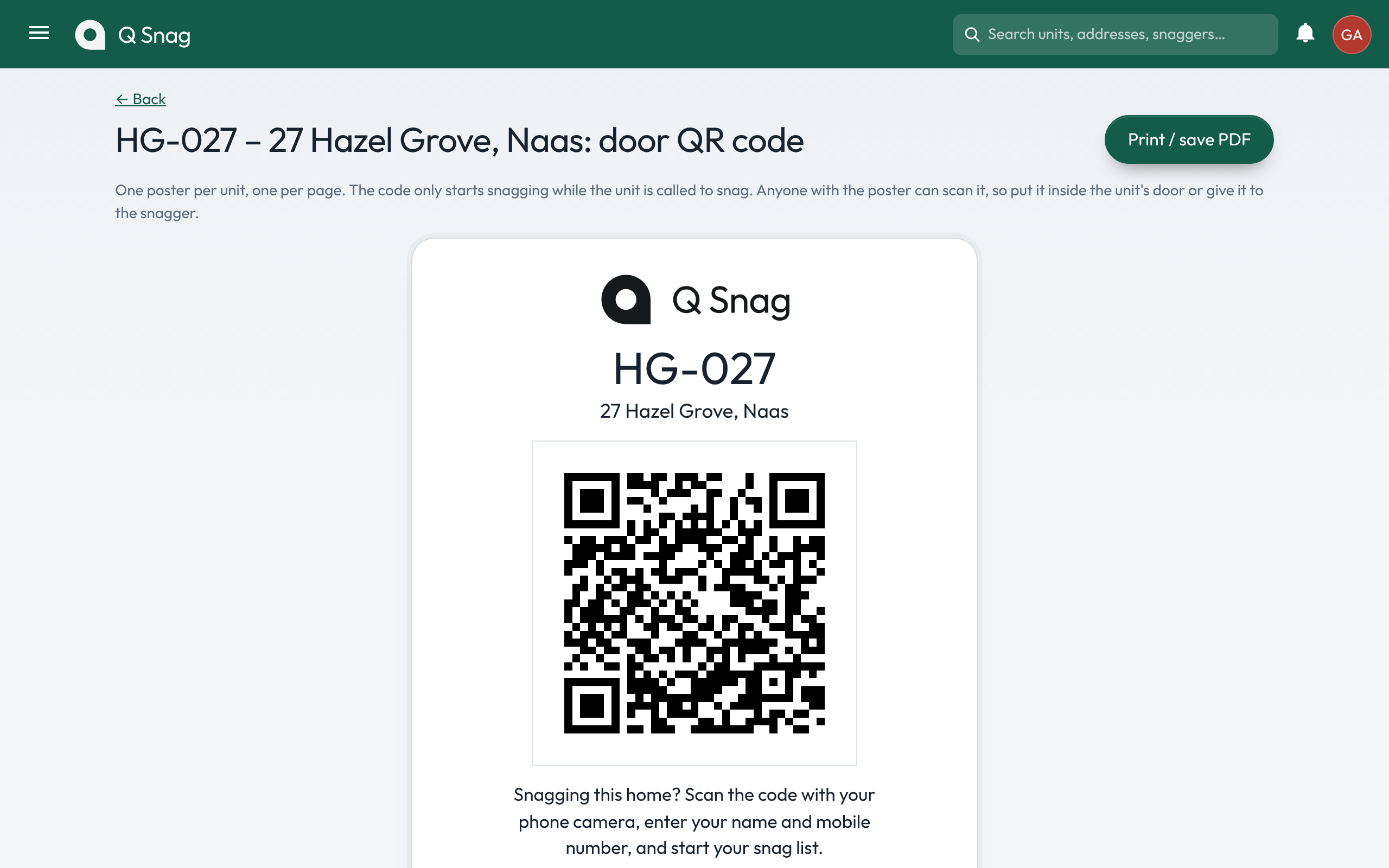
    Print a QR poster for every unit and put it inside the front door. The snagger scans it, types a name and mobile number, and starts. It only works while the unit is called to snag.

    A door QR poster for unit HG-027
  3. Pin it on the plan

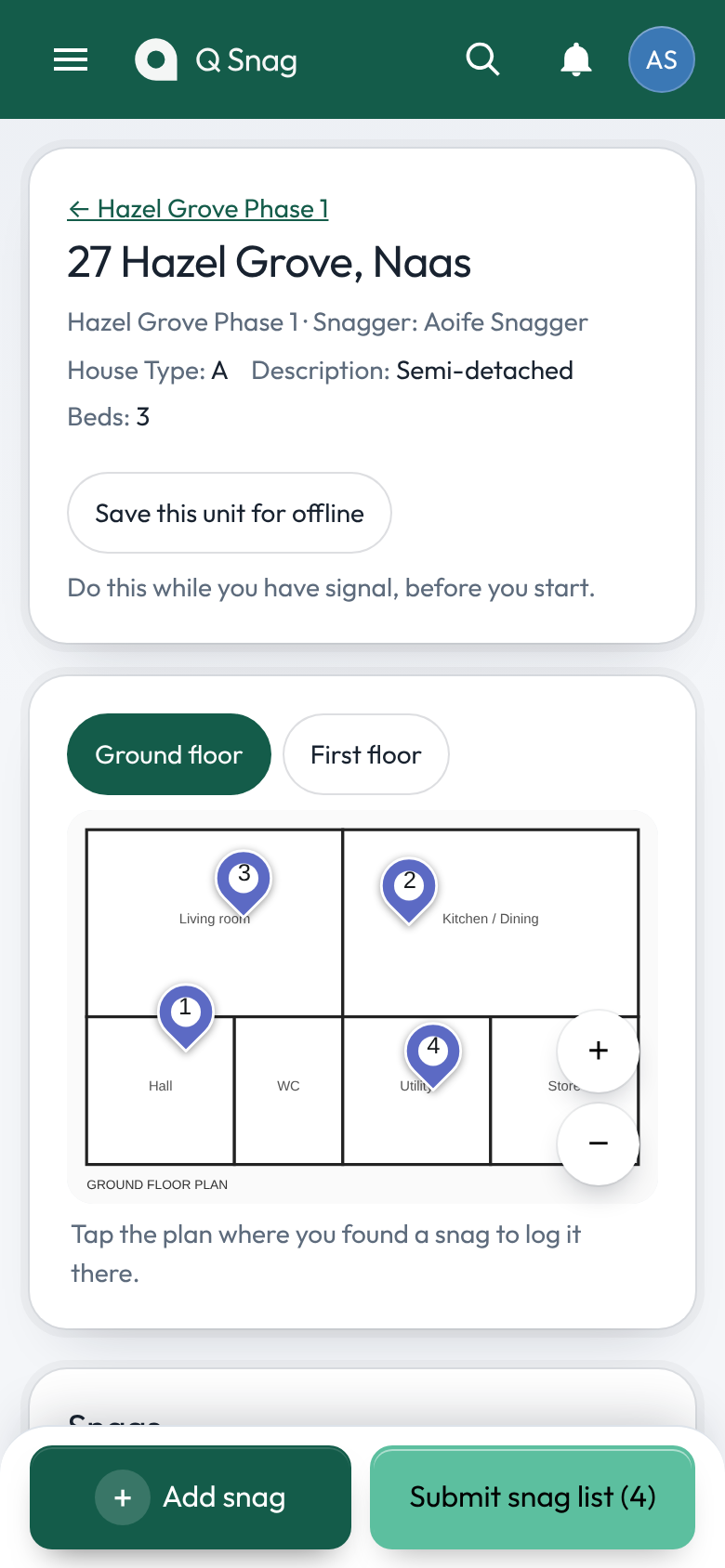
    Tap the plan where the snag is, take photos, pick the trade. No signal in the house? Save the unit for offline first and snags send when the phone reconnects.

    A phone showing the ground floor plan of 27 Hazel Grove with four numbered snag pins
  4. Fix it and sign it off

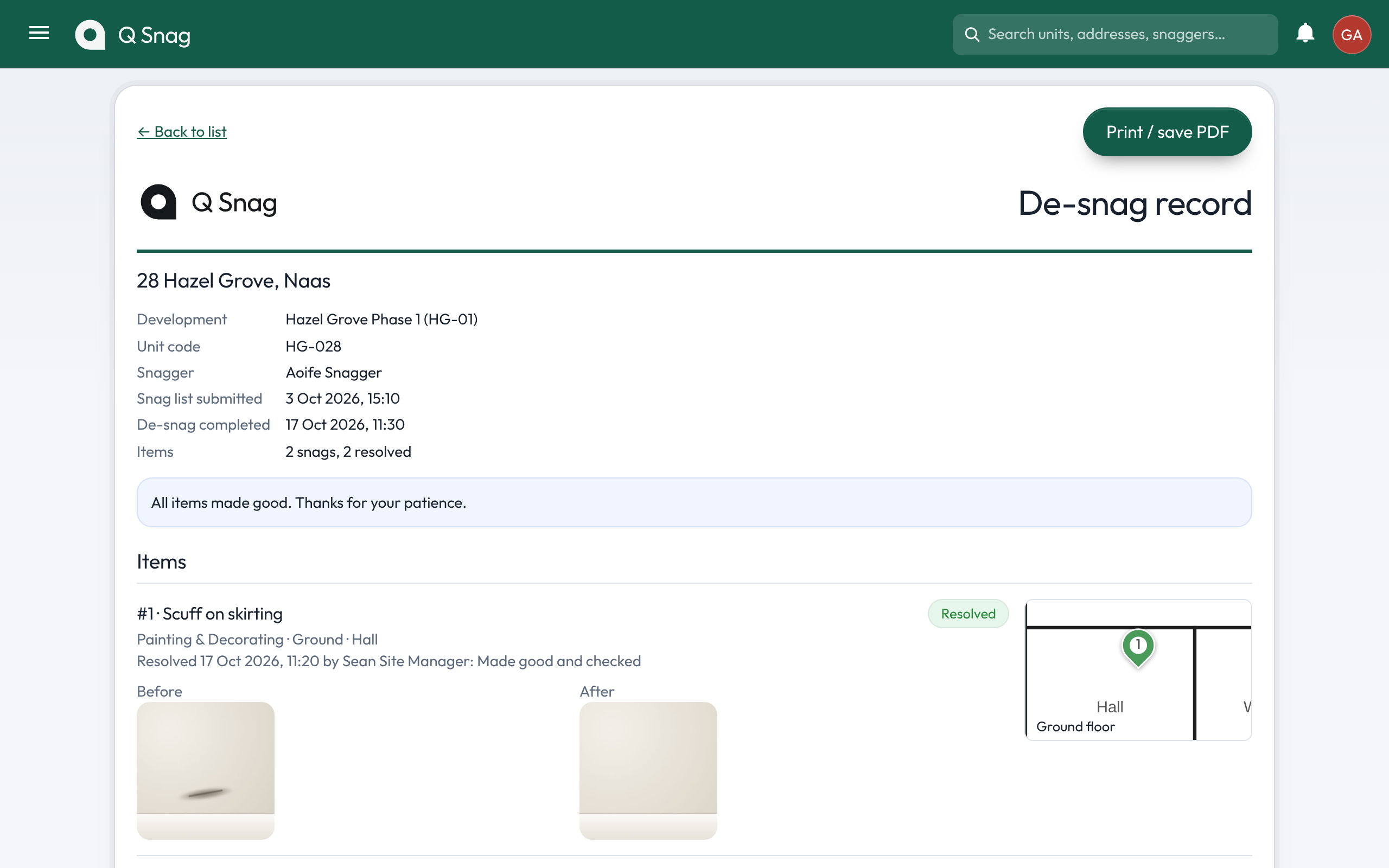
    Your site manager closes each snag with a photo of the fix. When every item is done, the de-snag record goes back to the snagger, ready to print or save as a PDF.

    A de-snag record for 28 Hazel Grove with before and after photos

The whole development, by status.

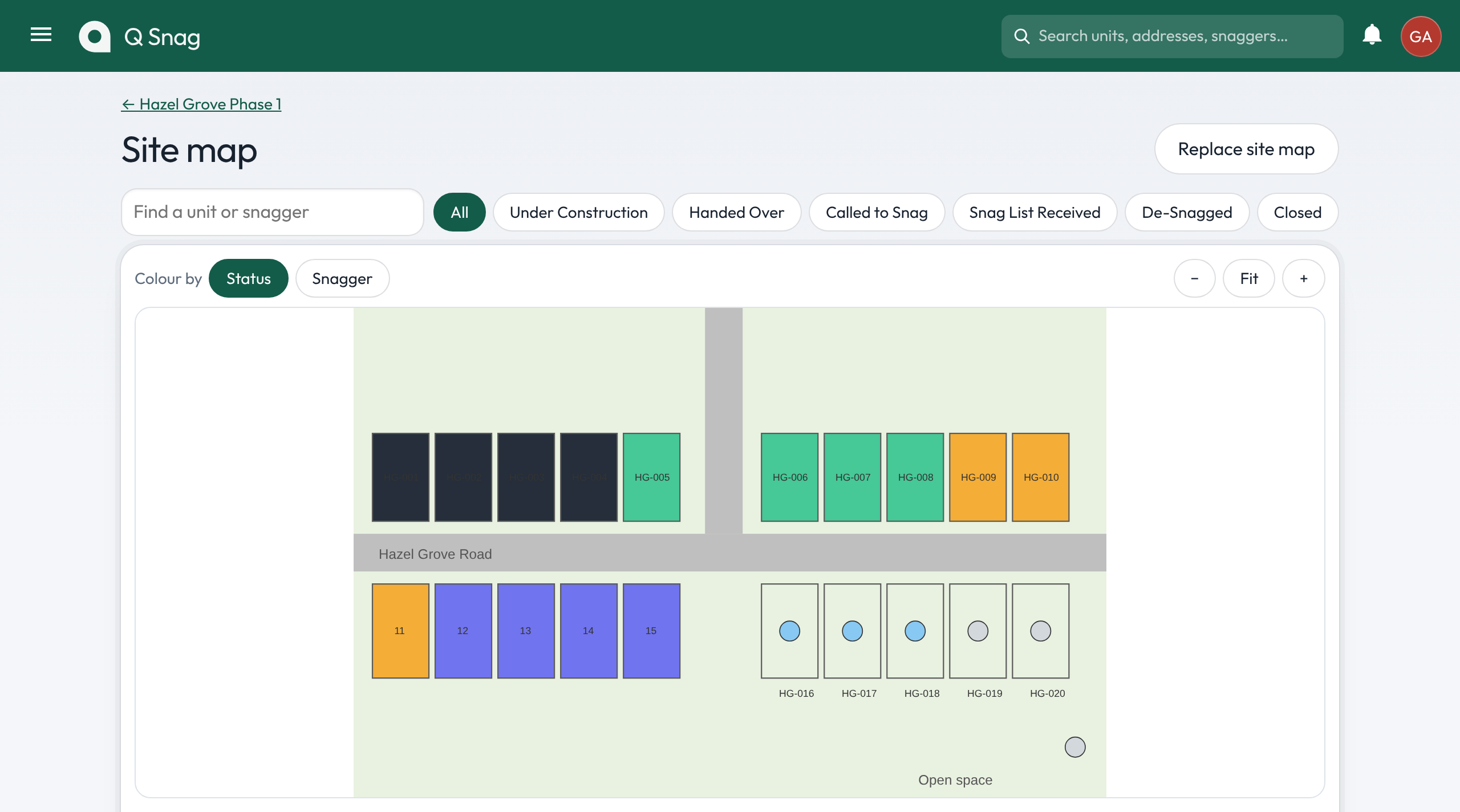
Upload your site layout and every unit takes the colour of where it is. Select units on the map to assign a snagger in one go.

A site map of Hazel Grove with units coloured by status, from under construction to closed

Everything the handover needs.

Contractor sheets by trade

Filter open snags by trade and print one sheet per contractor, with photos and a line to sign.

The Snags page filtered by unit, trade, snagger and status

Paper lists, read for you

Upload a photo or PDF of a paper list. It's read into draft snags you check before adding.

Snag without signal

Save a unit before going in. Snags queue on the phone and send when it's back online.

Your brand on every scheme

Each development gets its own logo, colours and artwork. Snaggers see your development, not ours.

Power BI and Sablono

A live data feed for Power BI, and a read-only Sablono link that marks units handed over.

Progress at a glance

Units, open snags and the share of homes de-snagged, for each development, as it happens.

Hazel Grove dashboard tiles: 24 units, 18 with a snagger, 9 open snags, 37% de-snagged or closed

Security and GDPR

Purchasers' details stay where they belong.

Your data

  • Hosted in the EU. The app and its data run in Frankfurt.
  • Nightly backups. The database is copied every night, with two weeks of copies kept.
  • You choose the extras. Plan and paper-list reading uses Anthropic's Claude, so those pages leave our servers. Each can be switched off.

Who sees what

  • Checked on the server. Every role sees only its own developments and units, photos and plans included.
  • No passwords for snaggers. Invite links work once and expire after 30 days. A lost phone is signed out with one tap.
  • Phone numbers kept private. Only the site team for that unit can see a snagger's number.

Pricing

One price per development. Every user included.

Bring your whole site team and every snagger without counting seats. Book a demo and we'll set it up with your own units and plans, then quote for your developments.

Book a demo

Or write to gearoid@qsnag.com